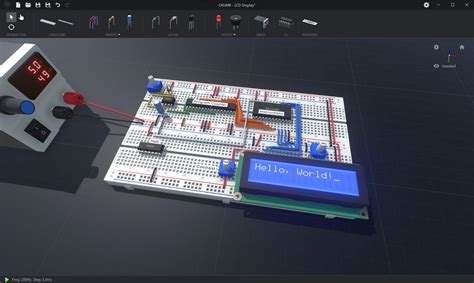
Simulating a PC online for free has become increasingly popular, driven by the need for accessible, flexible, and cost-effective computing solutions. This approach allows users to experience a wide range of operating systems and software applications without the requirement for physical hardware, making it an attractive option for both personal and professional use. The concept of simulating a PC online encompasses various technologies, including cloud computing, virtual machines, and emulators, each serving different purposes and offering unique benefits.
Cloud Computing and Virtual Machines

Cloud computing platforms provide users with the ability to create and manage virtual machines (VMs) online. These VMs can run a variety of operating systems, including Windows, macOS, and Linux, allowing users to simulate a PC environment that matches their specific needs. Services like Amazon Web Services (AWS), Microsoft Azure, and Google Cloud Platform (GCP) offer free tiers or trials that enable users to experiment with VMs without significant upfront costs. For instance, AWS Free Tier provides 750 hours of free usage per month for a year, which can be used to run a VM, making it an excellent option for those looking to simulate a PC online for free.
Benefits of Cloud-Based PC Simulation
The benefits of simulating a PC through cloud computing are numerous. Firstly, it eliminates the need for physical hardware, reducing costs and environmental impact. Secondly, cloud services often provide scalable solutions, allowing users to easily upgrade or downgrade their virtual hardware specifications as needed. This scalability, combined with the reliability and security features offered by cloud providers, makes cloud-based PC simulation an attractive option for businesses and individuals alike. Moreover, with the advancement in cloud technology, the performance of virtual machines has improved significantly, offering a seamless user experience that is comparable to using a physical PC.
| Cloud Service | Free Tier Details |
|---|---|
| AWS | 750 hours of free usage per month for a year |
| Microsoft Azure | $200 credit for the first 30 days |
| Google Cloud Platform | $300 credit for the first 90 days |
Emulators and Online Platforms

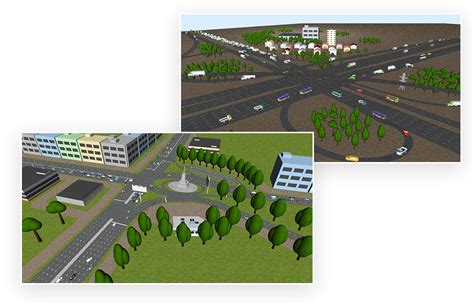
Beyond cloud computing, there are online platforms and emulators that allow users to simulate specific aspects of a PC environment directly in their web browser. These solutions are particularly useful for testing software, learning programming languages, or accessing older operating systems for nostalgic or educational purposes. For example, platforms like Repl.it and IDEONE provide online coding environments where users can write, run, and test code in a variety of programming languages without needing to install anything on their local machine.
Advantages of Online Emulators
Online emulators and platforms offer several advantages, including ease of access, as they can be used from any device with a web browser, and simplicity, as they often provide a straightforward and user-friendly interface. Moreover, these solutions are highly accessible, requiring no technical expertise to set up or use, making them an excellent choice for beginners or those looking to quickly test an idea without the hassle of setting up a local development environment.
Key Points
- Cloud computing offers a scalable and reliable way to simulate a PC online.
- Online platforms and emulators provide accessible solutions for specific needs like coding and software testing.
- Choosing the right solution depends on the specific requirements, including operating system, performance, and cost.
- Cloud services like AWS, Azure, and GCP offer free tiers that can be leveraged for PC simulation.
- Understanding the strengths and limitations of each solution is crucial for making an informed decision.
In conclusion, simulating a PC online for free is a viable option thanks to advancements in cloud computing and the development of online platforms and emulators. These technologies not only provide cost-effective solutions but also offer flexibility, scalability, and accessibility, making them appealing to a wide range of users. Whether for personal projects, professional development, or educational purposes, the ability to simulate a PC environment online has the potential to democratize access to computing resources, fostering innovation and creativity without the barriers of physical hardware costs or maintenance.
What are the benefits of simulating a PC online?
+Simulating a PC online offers several benefits, including cost savings, scalability, and accessibility. It eliminates the need for physical hardware, reducing costs and environmental impact, and provides easy access to a variety of operating systems and software applications from any device with a web browser.
How do I choose the right cloud service for PC simulation?
+Choosing the right cloud service depends on several factors, including the type of operating system you need, the level of performance required, and the cost implications beyond the free tier. Consider the strengths and weaknesses of each provider, such as AWS, Azure, and GCP, and evaluate which best aligns with your specific needs and budget.
Are online emulators and platforms suitable for all users?
+Online emulators and platforms are highly accessible and can be used by a wide range of users. However, their suitability depends on the specific needs of the user. For tasks that require high performance or specific software that is not supported by these platforms, cloud computing solutions might be more appropriate. It’s essential to evaluate the requirements of your project or task and choose the solution that best fits those needs.