
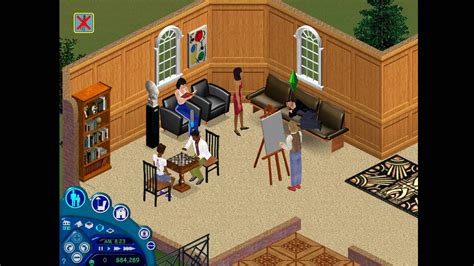
The Sims 2, developed by Maxis and published by Electronic Arts (EA), is a strategic life simulation video game that was first released in 2004. It is the sequel to the highly successful game, The Sims. The game allows players to create and control their own Sims, exploring various aspects of their virtual lives, from building relationships and careers to designing and furnishing homes. The Sims 2 introduced a new 3D game engine, enhancing the graphical and gameplay experiences compared to its predecessor.
Gameplay Overview

The gameplay in The Sims 2 revolves around guiding Sims through their life stages, from infancy to old age. Each Sim has desires, fears, and aspirations, which players must fulfill to keep their Sims happy and successful. The game includes various activities and interactions that Sims can engage in, such as cooking, painting, writing, and socializing with other Sims. Players can also build and design homes, communities, and public spaces, using a wide range of furniture, decorations, and architectural options.
Key Features of The Sims 2
One of the notable features of The Sims 2 is its aspiration system, where each Sim has a set of lifetime wants that, when fulfilled, grant significant rewards. The game also includes a “ Wants and Fears” system, where Sims have short-term desires and fears that players must address to maintain their Sims’ happiness and stability. The Sims 2 also features a genetics system, where children can inherit traits and characteristics from their parents, adding a layer of realism and depth to the gameplay.
| Game Feature | Description |
|---|---|
| 3D Graphics | Enhanced visual experience with 3D environments and character models |
| Aspiration System | Long-term goals for Sims that provide rewards upon completion |
| Genetics System | Children inherit traits and characteristics from their parents |
| Wants and Fears System | Short-term desires and fears that affect Sims' happiness and stability |

System Requirements for The Sims 2
Before downloading The Sims 2, players should check if their PC meets the minimum system requirements. These include a Windows operating system (the game is compatible with Windows 98/ME/2000/XP), a 1.8 GHz processor, 256 MB of RAM (512 MB recommended), and at least 3.5 GB of free disk space. It’s also crucial to have a graphics card that supports DirectX 9.0 and a sound card compatible with DirectX 9.0 for the best gaming experience.
Downloading and Installing The Sims 2
To download The Sims 2, players can visit the official EA website or other authorized game distribution platforms. It’s vital to ensure that the download source is legitimate to avoid any potential risks associated with downloading from unauthorized sites. Once downloaded, follow the installation instructions provided to install the game on your PC. If you’re purchasing the game, you’ll typically receive a product key that you’ll need to enter during the installation process to activate the game.
Key Points
- Ensure your PC meets the system requirements for The Sims 2 before downloading.
- Choose a legitimate download source to avoid potential risks.
- Expansion packs and stuff packs can enhance gameplay with new features and items.
- Enter your product key during installation to activate the game if purchased.
- Regularly update your graphics drivers and DirectX for optimal performance.
In conclusion, The Sims 2 offers a rich and engaging gameplay experience, allowing players to delve into the lives of their Sims and explore various aspects of their virtual world. By understanding the game's features, ensuring compatibility with your PC, and downloading from legitimate sources, you can enjoy all that The Sims 2 has to offer.
What are the minimum system requirements for The Sims 2?
+The minimum system requirements for The Sims 2 include a 1.8 GHz processor, 256 MB of RAM, 3.5 GB of free disk space, and a Windows operating system compatible with the game.
How do I download The Sims 2 for PC?
+You can download The Sims 2 from the official EA website or other authorized game distribution platforms. Ensure you have a legitimate product key for activation if purchased.
What are expansion packs, and how do they enhance gameplay?
+Expansion packs add new gameplay mechanics, items, and features to The Sims 2, enhancing the overall gaming experience. Examples include University, Nightlife, and Seasons, each offering unique aspects to the game.

