
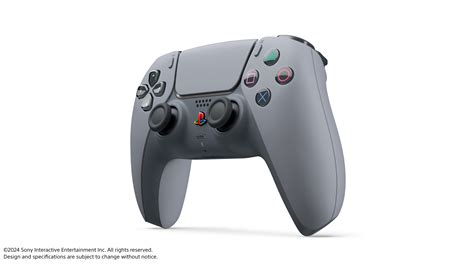
The PlayStation 5 (PS5) controller, also known as the DualSense, has revolutionized the gaming experience with its innovative features and designs. For both new and veteran gamers, mastering the controller can significantly enhance gameplay and overall enjoyment. Here are 25 tips to help you get the most out of your PS5 controller, covering everything from basic handling to advanced techniques.
Understanding the Basics

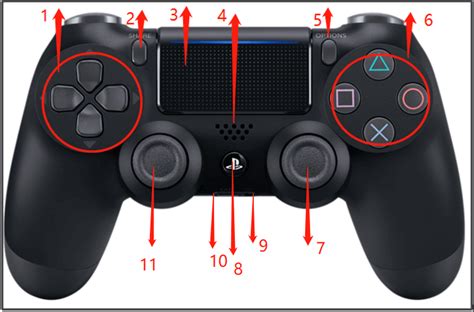
Before diving into advanced techniques, it’s essential to understand the layout and basic functions of the PS5 controller. The DualSense introduces several new features such as haptic feedback, adaptive triggers, and a share button, which can significantly enhance your gaming experience. Familiarizing yourself with the controller’s layout, including the position of the directional pad, face buttons, triggers, and bumpers, is the first step to improving your gameplay.
Customizing Your Controller
The PS5 allows for a degree of customization that can tailor your gaming experience to your preferences. This includes adjusting the controller’s vibration, turning off the light bar to save battery, and even remapping buttons through the console’s accessibility settings. Understanding how to customize your controller can help you find a comfortable setup that works best for you.
| Feature | Description |
|---|---|
| Haptic Feedback | A more immersive form of vibration that simulates the feel of different surfaces and actions in games. |
| Adaptive Triggers | Triggers that can change resistance to simulate different actions, such as drawing a bow or driving a car. |
| Share Button | A convenient button for sharing screenshots and clips directly to social media or messaging platforms. |
Advanced Techniques

Once you’re comfortable with the basics, it’s time to explore more advanced techniques. This includes learning how to use the adaptive triggers effectively, mastering the use of the directional pad for precise movements, and understanding how to leverage the haptic feedback to your advantage in different games. For example, in racing games, the haptic feedback can provide a more realistic driving experience by simulating the feel of the road and the resistance of the brakes.
Controller Maintenance
Maintaining your controller is crucial for prolonging its lifespan and ensuring consistent performance. This includes cleaning the controller regularly, avoiding extreme temperatures, and storing it in a protective case when not in use. Proper maintenance can prevent common issues such as joystick drift and button wear, ensuring your gaming sessions are uninterrupted.
Key Points
- Familiarize yourself with the PS5 controller's layout and features.
- Customize your controller settings for a personalized experience.
- Master the use of haptic feedback and adaptive triggers in games.
- Regularly maintain your controller for optimal performance.
- Experiment with different grip styles and playing positions to find what works best for you.
Maximizing Battery Life
The battery life of the PS5 controller can be a concern for gamers, especially during marathon gaming sessions. To maximize battery life, consider turning down the controller’s brightness, disabling the vibration when not necessary, and using the controller’s power-saving features. Additionally, investing in a charging dock can provide a convenient way to keep your controller charged and organized.
Accessibility Features
The PS5 offers a range of accessibility features that can be controlled through the controller, including text-to-speech, screen reader, and button remapping. These features can significantly enhance the gaming experience for players with disabilities, offering a more inclusive and enjoyable experience for all.
In conclusion, mastering the PS5 controller is about more than just understanding its features; it's about how you can use those features to enhance your gaming experience. By following these tips, you can unlock the full potential of your controller and take your gaming to the next level.
How do I customize the buttons on my PS5 controller?
+To customize the buttons on your PS5 controller, go to the Settings menu on your PS5, select “Accessibility,” and then choose “Controllers.” From there, you can remap buttons to suit your gaming preferences.
Can I use my PS5 controller with other devices?
+Yes, the PS5 controller can be used with other devices such as PCs and Android devices via Bluetooth. This allows for a versatile gaming experience across different platforms.
How often should I clean my PS5 controller?
+